


VideoTextRemover
 Made in South Korea
Remove Text from Video with AI — no blur or crop
Listed on AI SEO Gazette · Reviewed by our editors
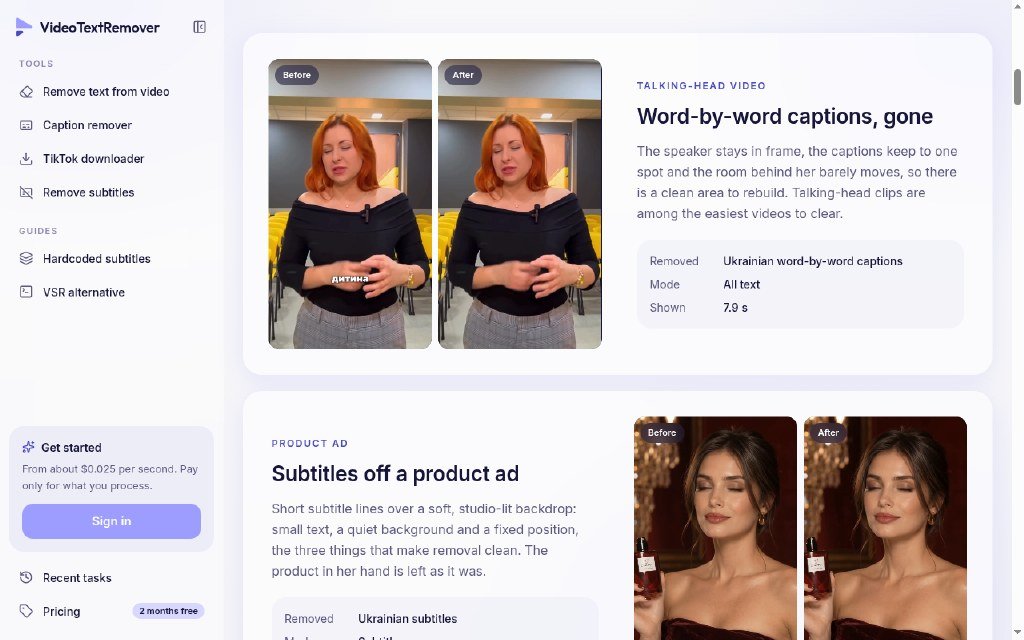
What is VideoTextRemover?
Remove burned-in subtitles and on-screen text from video with AI — no blur or crop. Freemium online tool for creators and editors (MP4/MOV).
Key features
Pros & cons
- No blur or crop
- Freemium
- Works on MP4/MOV
- Best for burned-in text, not generative video
Frequently asked questions
Is VideoTextRemover free?
VideoTextRemover has a free plan, with paid plans for heavier use. Check the VideoTextRemover website for current pricing.
What is VideoTextRemover used for?
Remove Text from Video with AI — no blur or crop. Remove burned-in subtitles and on-screen text from video with AI — no blur or crop. Freemium online tool for creators and editors (MP4/MOV).
What are the best alternatives to VideoTextRemover?
Similar tools in our directory include Novastart, InsertKit, AI Compare Ninja.
Similar AI Productivity Tools
 Novastart
The Infinite Canvas Whiteboard OS
Freemium InsertKit
Type Less, Insert More
Freemium AI Compare Ninja
Research AI software, use templates and budget subscription/API costs.
Free Timerfly
Automatic employee monitoring and attendance tracking
Free Trial PDFAnnotations
Extract PDF annotations, highlights & comments locally in your browser.
Freemium JobsAICopilot
Your AI applies to jobs while you sleep.
Paid Menus AI
Generate a structured menu from dish ideas in the browser
Freemium HTML to URL
Publish an HTML snippet to a shareable URL from the browser
FreemiumHave a tool like VideoTextRemover? List it on AI SEO Gazette.
Free listings are reviewed by our editors. Featured is $15, one time.
VideoTextRemover
Visit