

 Made in Brazil
Self-hosted Chrome for AI agents with MCP and live human takeover
Listed on AI SEO Gazette
What is easi.run?
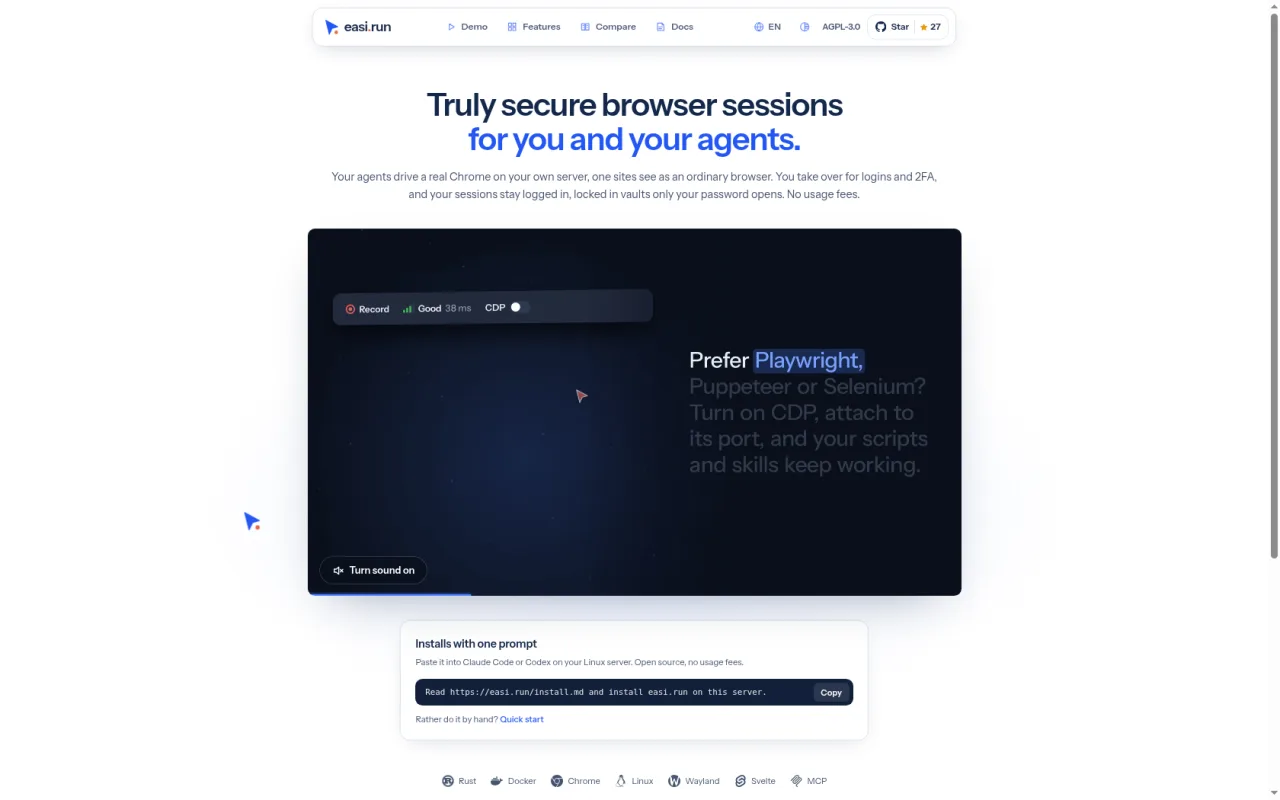
easi.run gives an external AI agent a real Google Chrome session on a Linux server that you operate. It provides the browser infrastructure for an agent to interact with ordinary web pages through Model Context Protocol (MCP) or a REST API. You connect a compatible client, such as Claude Code, and supply your own agent and model access. The browser runs on your infrastructure, and you decide which tasks and websites to use it for.
A live viewer lets a person watch what the browser is doing and take temporary control of the same session. For example, a teammate can sign in to a service, enter a two-factor code, or review and approve a step. When the manual work is finished, they can hand the session back to the agent. The agent can continue on the current page without starting a separate browser.
Browser sessions are isolated. Saved profiles can retain permitted sign-ins and site data between sessions, and profile data is encrypted. File transfers let users provide inputs and retrieve downloads. Session recordings and an action timeline let operators revisit a workflow and see where a manual intervention occurred.
The server software is released under AGPL-3.0-only. The supported installation uses Linux x86-64, systemd and rootful Docker Engine 28 or later. The code is free to use under its license, and operators provide their own host, plus any separately billed agent or model access. Each self-hosted installation provides its own browser service. The project website has installation documentation, a recorded demo and a link to the source repository.
easi.run is for developers, automation teams and operators who need browser execution for an existing agent and want to keep a person involved in sensitive or manual steps. Typical uses include checking a web application, collecting a report from an authenticated portal, and handing a document export back to the person who started the workflow.Run Chrome on your own Linux server
Take over an agent’s live browser session
Use a compatible MCP client or the REST API
Reuse encrypted browser profiles
What makes easi.run different
easi.run combines a self-hosted Chrome runtime with a live viewer and a handoff between people and agents. A person can handle a sign-in or approval inside the same browser session and then give control back to the agent. Saved browser profiles let operators carry permitted site data into later sessions. The MCP server and REST API let teams connect the browser to their own agent workflows. The source code is available under AGPL-3.0-only, and teams operate the service on their own Linux infrastructure.
How easi.run works
- 1
Follow the installation documentation to install easi.run on a supported Linux server that you operate.
- 2
Configure a compatible MCP client for your external agent, or connect your application through the REST API.
- 3
Start an isolated Chrome session and open the live viewer to watch the workflow as it runs.
- 4
Take control in the viewer when a manual step is needed and hand the browser back when finished.
Key features
easi.run use cases
Web application validation
Run through a test workflow in your web application, review what the browser actually displayed, and revisit the recording to diagnose steps that need attention.
Authenticated reporting
When a permitted portal requires a sign-in, take control to authenticate, hand the browser back, and let the external agent continue gathering the requested report.
Approval workflows
Open the live session when an agent reaches a pending action and review the page directly before deciding whether to approve or resume the workflow.
File workflows
Upload an input file to the browser session, let the external agent work with the relevant web application, and retrieve an export once it is ready.
Pros & cons
- Operate real Google Chrome on your own supported Linux server.
- Take control of a live session when a person needs to approve an action.
- Connect an external agent through MCP or integrate through the REST API.
- Keep permitted site data in encrypted browser profiles for later sessions.
- Requires a Linux x86-64 server with systemd and rootful Docker Engine 28 or later.
- Requires separate access to an external agent or AI model.
- Your team is responsible for maintaining the infrastructure and updating the service.
Who it's for
easi.run pricing
- Bring your own Linux host and agent or model access
Plans and prices as listed on the easi.run website, last checked November 2026. Check their site for the latest pricing.
Frequently asked questions
What does easi.run provide?
It provides real Chrome browser sessions on infrastructure you operate. A compatible external AI agent can interact with pages through MCP or REST while you watch the session live. The same viewer lets you handle manual browser steps and hand control back.
Does it run on my own infrastructure?
Yes. Install it on a Linux x86-64 server you operate with systemd and rootful Docker Engine 28 or later. The project documentation explains installation and configuration. Your team runs the service and manages the associated infrastructure and any external agent or model access.
Can I take over a session?
Yes. Open the live viewer, take temporary control, and complete the step that needs a person, such as signing in or reviewing an approval. Give control back when ready and the external agent can continue in the same browser context.
How does an agent connect?
A compatible MCP client can connect using the configuration described in the installation documentation. Applications can also use the service's REST API to control sessions. Your installation provides its own browser service, and you supply the external agent that makes decisions.
What is the license?
easi.run is free software under the AGPL-3.0-only license. The source code is available in the project's public repository. Your Linux hosting and any external AI agent or model access are obtained separately and may involve costs from the providers you choose.
Is easi.run free?
easi.run is free to use. Check the easi.run website for current pricing.
What is easi.run used for?
Self-hosted Chrome for AI agents with MCP and live human takeover. easi.run gives an external AI agent a real Google Chrome session on a Linux server that you operate. It provides the browser infrastructure for an agent to interact with ordinary web pages through Model Context Protocol (MCP) or a REST…
Who is easi.run for?
easi.run is built for Software developers integrating agent workflows, teams operating self-hosted automation and and operators who review or approve browser actions..
Which apps does easi.run work with?
easi.run works with Claude Code, Any MCP client.
What are the best alternatives to easi.run?
Similar tools in our directory include Flowtly MCP, SEOTesting MCP Server, GoVisit Tools.
Similar MCP Servers
 Flowtly MCP
Connect Claude and ChatGPT to your Flowtly ERP through MCP
Free Trial SEOTesting MCP Server
Access SEO test results and search performance data in Claude.
Free Trial GoVisit Tools
Read-only travel discovery tools for MCP clients building on GoVisit’s public catalog
Free Atoa MCP Server
Connect AI assistants to Atoa payments through Model Context Protocol
Paid OpenAny
The B2A (business to agent) marketplace
Freemium FN2
Cited company research and scheduled research agents through MCP.
Freemium Voice School
Request an online singing lesson at your preferred time
Free Desearch
Web and X search for AI agents through MCP.
PaidHave a tool like easi.run? List it on AI SEO Gazette.
Free listings are reviewed by our editors. Featured is $15, one time.
 easi.run
Visit