

 Made in United States
AI image and video generator with photo editing in the browser
Listed on AI SEO Gazette
What is Uyo?
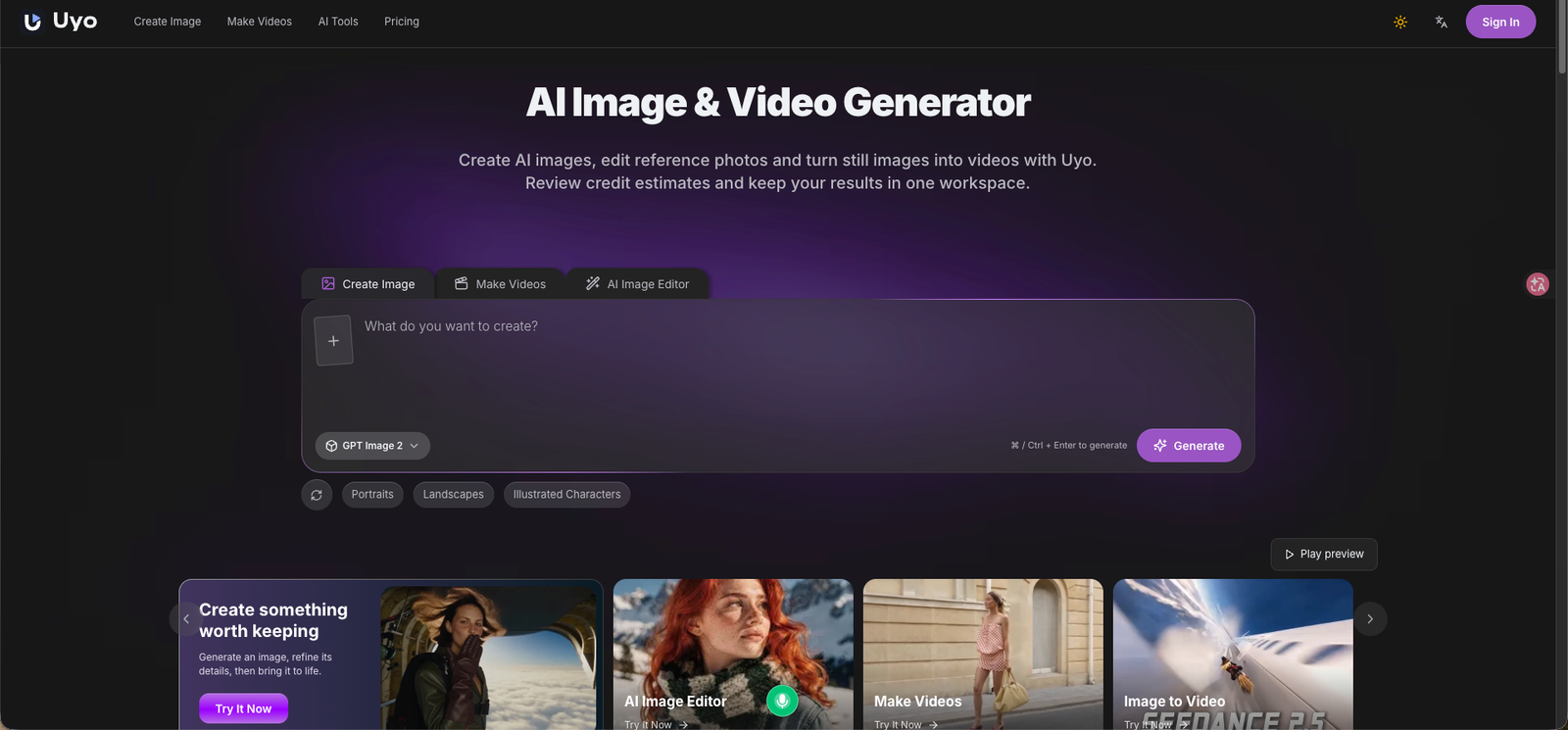
Uyo is a browser-based AI creative studio that brings image generation, photo editing, and video creation into one workspace. It is designed for people who want to produce visual content quickly without installing desktop software or switching between separate tools.
Users can generate new images from text prompts, edit reference photos, upscale images, remove backgrounds, and create videos from text or still images. The workspace is organised around the creation flow: choose a tool, describe the result, review the estimated credit cost, then generate. Every task and result is kept in My Creations, so previous work can be found and reused.
Uyo supports both English and Chinese interfaces, which makes it accessible to a wider range of creators and teams. The product is entirely web-based: public tools, examples, and guides can be browsed without signing in, while generating content requires an account and enough credits.
Pricing uses one-time credit packs rather than subscriptions. Users can buy 400 credits for $9 valid 30 days, 2,500 credits for $49 valid 90 days, or 6,000 credits for $99 valid 365 days. Image and video creation share the same credit balance, and costs vary by model and output settings, so the estimated credit cost is shown before a job starts.
The example artwork on the site demonstrates the styles Uyo can produce, and feature pages explain workflows such as text to image, image to image, text to video, image to video, upscaling, and background removal. The site also provides a help centre, contact page, and legal pages covering privacy, terms, and refunds.
Because generation happens in the browser, users do not need a separate installation or a powerful local machine. New users can review the public examples and tool pages first, then create an account when ready to generate. Uyo positions itself as one place for images, videos, and the next idea, keeping related creative work together instead of scattered across several services.
What makes Uyo different
Uyo keeps image generation, photo editing, and video creation inside a single browser workspace instead of splitting them across separate subscriptions. The same account and credit balance cover image and video jobs, so users do not have to manage multiple balances or learn several interfaces. Before a generation starts, the workspace shows the estimated credit cost, which makes spending visible rather than hidden until the end. Finished work and pending tasks collect in My Creations, giving users one place to return to instead of hunting through downloads. Pricing uses one-time credit packs with stated validity periods rather than an open-ended subscription. English and Chinese interfaces are available, and public tools, examples, and guides can be reviewed before creating an account.
How Uyo works
- 1
Open Uyo in a browser and choose an image, editing, upscaling, background removal, or video tool
- 2
Enter a text prompt or upload a reference image depending on the selected tool
- 3
Review the estimated credit cost shown in the workspace before starting the job
- 4
Start the generation and wait for the result to appear in the workspace
- 5
Find completed images and videos later in the My Creations library to reuse or download
Key features
Uyo use cases
Social media teams can generate scroll-stopping images and short videos for campaigns, then keep the approved versions together in My Creations for future posts and repurposing.
Small businesses can create product visuals, remove distracting backgrounds, and upscale photos for social and online listings without hiring a designer for every asset each time.
Marketers can quickly turn a written campaign idea into a short video concept, review the estimated credit cost, and iterate before committing to full production.
Designers and creators can edit reference photos, upscale low-resolution images, and explore new creative directions quickly while keeping every final result in one shared library.
Bilingual teams can work in English or Chinese interfaces and produce shared visual assets in a single workspace instead of separate regional tools and accounts.
Pros & cons
- Image, photo editing, and video tools share one browser workspace
- Estimated credit costs are shown before each generation
- English and Chinese interfaces are available
- Results and tasks are saved in My Creations
- One-time credit packs are listed with clear validity periods
- Generation requires an account and sufficient paid credits
- Credit costs vary by model and output settings
- Credit packs expire after 30 to 365 days
Who it's for
Uyo pricing
- 400 credits for image and video generation
- 2,500 credits for image and video generation
- 6,000 credits for image and video generation
Plans and prices as listed on the Uyo website, last checked November 2026. Check their site for the latest pricing.
Frequently asked questions
What is Uyo?
Uyo is a browser-based AI studio for image generation, photo editing, and video creation. Users can generate images from text, edit reference photos, upscale images, remove backgrounds, and create videos from text or still images, with tasks and results kept in My Creations.
Does Uyo require an account?
Public tools, examples, and guides can be browsed without signing in. Generating images or videos requires an account and sufficient credits. Starter credits depend on the current account offer, so check the account page after signing up to see what is available.
How does Uyo pricing work?
Uyo uses one-time credit packs rather than subscriptions. The listed packs are $9 for 400 credits valid 30 days, $49 for 2,500 credits valid 90 days, and $99 for 6,000 credits valid 365 days. Image and video creation share the same credit balance, and costs vary by model and output settings.
Are credit costs shown before generation?
Yes. The workspace displays an estimated credit cost before a generation starts, so users can see what a job is expected to consume. Because costs vary by model and output settings, review the estimate before running a job and adjust settings if needed.
What can I create with the video tools?
Uyo can create short videos from text prompts or from still images. The feature pages describe text-to-video and image-to-video workflows, and finished clips are stored with other results in My Creations so they can be reviewed later. You can also start from a reference image and let Uyo animate it into a short clip.
Which languages does Uyo support?
Uyo offers English and Chinese interfaces. The written content, examples, and guides are available in these languages, so users can work in the interface they prefer while keeping their projects and results in the same account. Both interfaces use the same account, so projects and results stay together.
Is Uyo free?
Uyo is a paid tool. Free usage: One-time credit packs from $9; starter credits depend on the current account offer. Check the Uyo website for current pricing.
What is Uyo used for?
AI image and video generator with photo editing in the browser. Uyo is a browser-based AI creative studio that brings image generation, photo editing, and video creation into one workspace. It is designed for people who want to produce visual content quickly without installing desktop software or switching between separate tools.…
Who is Uyo for?
Uyo is built for Content creators, Marketers, Small business owners, Social media managers and Designers.
What are the best alternatives to Uyo?
Similar tools in our directory include minimax h3 image, Animated GIF Generator, Zoivu.
Similar AI Image Generators
 minimax h3 image
AI image and video generation for creators and developers.
Paid Animated GIF Generator
Create animated GIFs online with AI from images, text prompts, or video clips.
Freemium Zoivu
Create a character. Keep them yours.
Freemium MotifDeck
AI Game Art & Pixel Art Workspace for Indie Developers
Freemium DeftImage
Edit photos with text prompts and AI in your browser
Freemium Gemini Nano Banana
Create and edit reference-led images, then explore video with Veo and Gemini Omni.
Free Trial Text to GIF
Turn your words into original animated GIFs with AI.
Freemium Private Try-On
AI virtual try-on for your next outfit
PaidHave a tool like Uyo? List it on AI SEO Gazette.
Free listings are reviewed by our editors. Featured is $15, one time.
 Uyo
Visit