

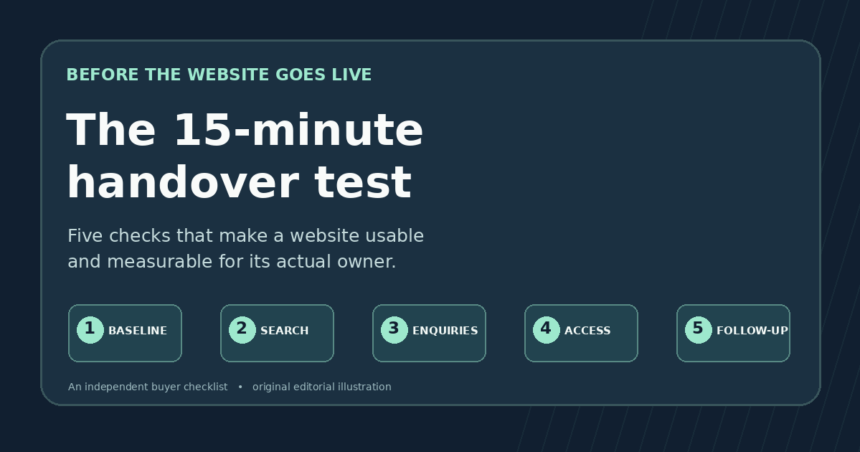
A new website can look excellent in a presentation and still be difficult for its owner to use. The important questions are less glamorous: Can customers find its essential pages? Does a genuine enquiry arrive? Can the business see what has changed since the old site? And who can fix things once the designer has handed over the passwords?
Fifteen minutes is not enough for a complete technical SEO audit, accessibility review or security assessment. It is enough for a practical acceptance test that exposes some costly gaps before the final sign-off. The owner should run the test themselves, with the developer available to explain anything that fails. The aim is not to catch a supplier out. It is to make the handover useful to the person who will operate the website.
Minutes 0 to 3: Know what you are replacing
Before a redesigned site goes live, ask for a one-page baseline. It should identify the existing pages that matter, their current URLs, the search queries or organic landing pages most relevant to the business, and how enquiries are captured today.
For a local service company, that might mean the contact page, three high-intent service pages and a location page. For an online shop, it may be the main category pages and checkout journey. A small set of business-critical pages is more useful for this exercise than a 70-page screenshot report nobody has time to review.
Open Google Search Console for the existing site, if it has been configured, and record the recent pattern of clicks and impressions on those key pages. Traffic naturally fluctuates, so do not turn a single day’s numbers into a before-and-after claim. In analytics, record how genuine enquiries are currently measured. Count actual submitted requests or received messages, not merely clicks on a button marked ‘Contact’.
If the old site has important URLs, insist on a simple mapping showing where each will go. When a page moves, a relevant permanent redirect is usually preferable to leaving a broken address; redirecting every removed service page to the homepage is not a substitute for a considered plan. If the redesign is a small visual refresh with the same URLs, the mapping may be straightforward. Either way, the business should know what changed.
Minutes 3 to 6: Check whether search engines can see the right pages
Open two or three important pages on the proposed live site, ideally including a service or product page rather than only the homepage. Check that each loads without an error, that its main text is accessible on a phone, and that it does not carry an accidental instruction preventing search indexing.
Ask the developer to show you the site’s Search Console property and the URL Inspection view for a key page. The business should have appropriate access rather than relying forever on a contractor’s personal account. The inspection view can help identify whether Google has indexed a URL and which canonical address Google has selected. Do not mistake an inspection request, a submitted sitemap or the existence of a page for a guarantee of indexing. Crawling and indexing take time.
If the new website changes old addresses, test at least one actual old URL: does it reach the correct new page, rather than a missing-page message or an unrelated homepage? Check that the new page points to its intended canonical URL and that the sitemap reflects current live addresses. These are things the developer can demonstrate without asking a business owner to become an SEO engineer.
Record any unexpected indexing or redirect issues as launch actions with named owners. A technical test is useful only when it ends with somebody responsible for fixing what it finds.
Minutes 6 to 9: Make a real enquiry, on a real phone
Open the site on a phone using mobile data, rather than relying only on the office Wi-Fi or a desktop preview. Find the primary service, product or booking action as a first-time visitor would. Ask whether the page explains the next step, whether forms are usable with a thumb, and whether a prominent button leads where it promises.
Then submit a clearly marked test enquiry, using a test address and contact details controlled by the business. Record the exact time. Verify all three stages separately: the customer-facing confirmation appears; the request reaches the correct business inbox or CRM; and the responsible person can actually reply. A green ‘Thank you’ screen is not proof that an email was delivered. Conversely, a click on ‘Submit’ can be recorded in analytics even when the underlying enquiry fails.
Where Google Analytics 4 is used, agree how a real lead is measured. Google’s recommended generate_lead event represents submission of information; the tracking implementation should be tested against the actual completed action, not assumed from a button click. If the business collects personal information, use dummy test data and avoid unnecessarily transmitting it to analytics tools.
Do not overlook the unpleasant cases. What happens when a required field is empty? Can the user see a useful error message? If the test message arrives in spam, if the form hangs, or if a customer receives no confirmation, the problem needs resolving before the owner is asked to sign off.
Minutes 9 to 12: Prove the owner can operate the site
The business needs an access inventory: domain registrar, DNS, hosting, content-management system, enquiry inbox, analytics and Search Console. For each, write down which organisation controls the account, who holds administrative access, how recovery works and which permissions the supplier needs to retain. ‘We can update it for you’ is a service offer, not proof that the buyer has operational access.
Ask a staff member to make one harmless text edit to a non-critical page or draft, with the developer watching. Can they find the right screen, preview the change and reverse it? This is more revealing than watching the agency click confidently through its own tools.
Ask where backups are stored, how often they run, who can restore them and whether a restoration has actually been tested. Do not assume that merely seeing a backup icon proves recovery is possible. Make sure the renewal and ongoing maintenance arrangement is written down: what is included, what costs extra, and what happens if the business changes its supplier. A handover should document practical access and contractual responsibilities without implying the checklist determines legal ownership.
Minutes 12 to 15: Put names and dates against the remaining risks
Finish by writing three columns: ‘verified’, ‘not yet verified’ and ‘owner of the next step’. If an item is unresolved, give it a name and deadline rather than burying it in a vague promise to ‘optimise after launch’. Ask for a short handover note that the business can use without the agency on a video call.
Agree two review points: approximately seven days and 30 days after launch. At the first, check enquiries, crucial redirects, unexpected errors, Search Console findings and any broken mobile paths. At the second, compare a sensible period of organic landing-page performance and genuinely received enquiries against the baseline, while allowing for seasonality and reporting delays. A short dip after a site move may occur; a sustained unexplained loss of an important page or enquiry route deserves investigation.
A redesigned site is not successful simply because its colours look better. Nor should its supplier promise rankings based on a launch checklist. The more defensible handover is one where the owner can see the essential pages, verify that enquiries arrive, access the tools, and identify who will fix problems next week.
The useful question for a small business is straightforward: ‘Can we run this website, measure its enquiries and recover when something goes wrong?’ If the answer is yes, the designer has handed over something more valuable than a finished mock-up.