
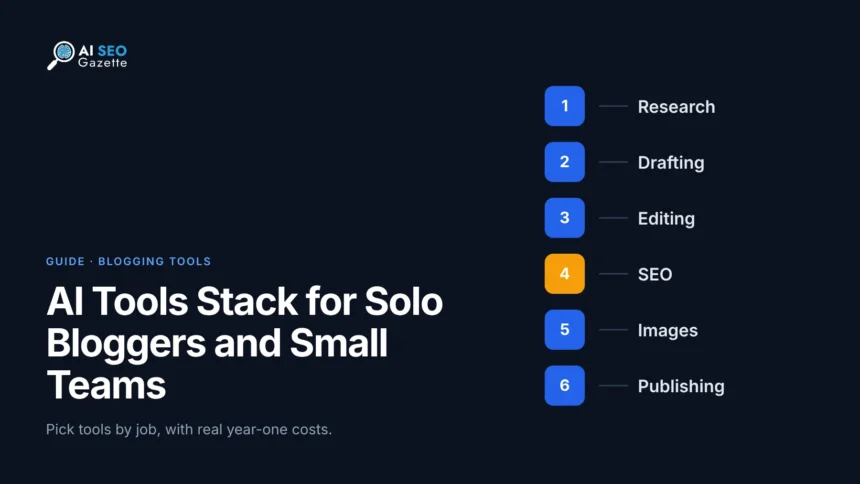

The best AI tools for bloggers are the ones that cover six jobs: research, drafting, editing, SEO, images and publishing. A solo blogger can run a working stack for about $20 a month: one paid AI assistant plus free tools. Add paid keyword data and a one-time indexing tool and year one costs about $688.
Key takeaways
- Pick tools by job: six jobs, one tool and one owner for each.
- Most of the stack can be free. The assistant and keyword data are where the money goes.
- Prices in this guide were checked on official pricing pages on November 25, 2026, in USD before tax.
- AI is weakest at facts, citations and metadata. Those checks stay with a human.
- Score every new tool before it joins the stack. If it scores under 4 out of 10, skip it.
Why a planned AI stack matters for small teams
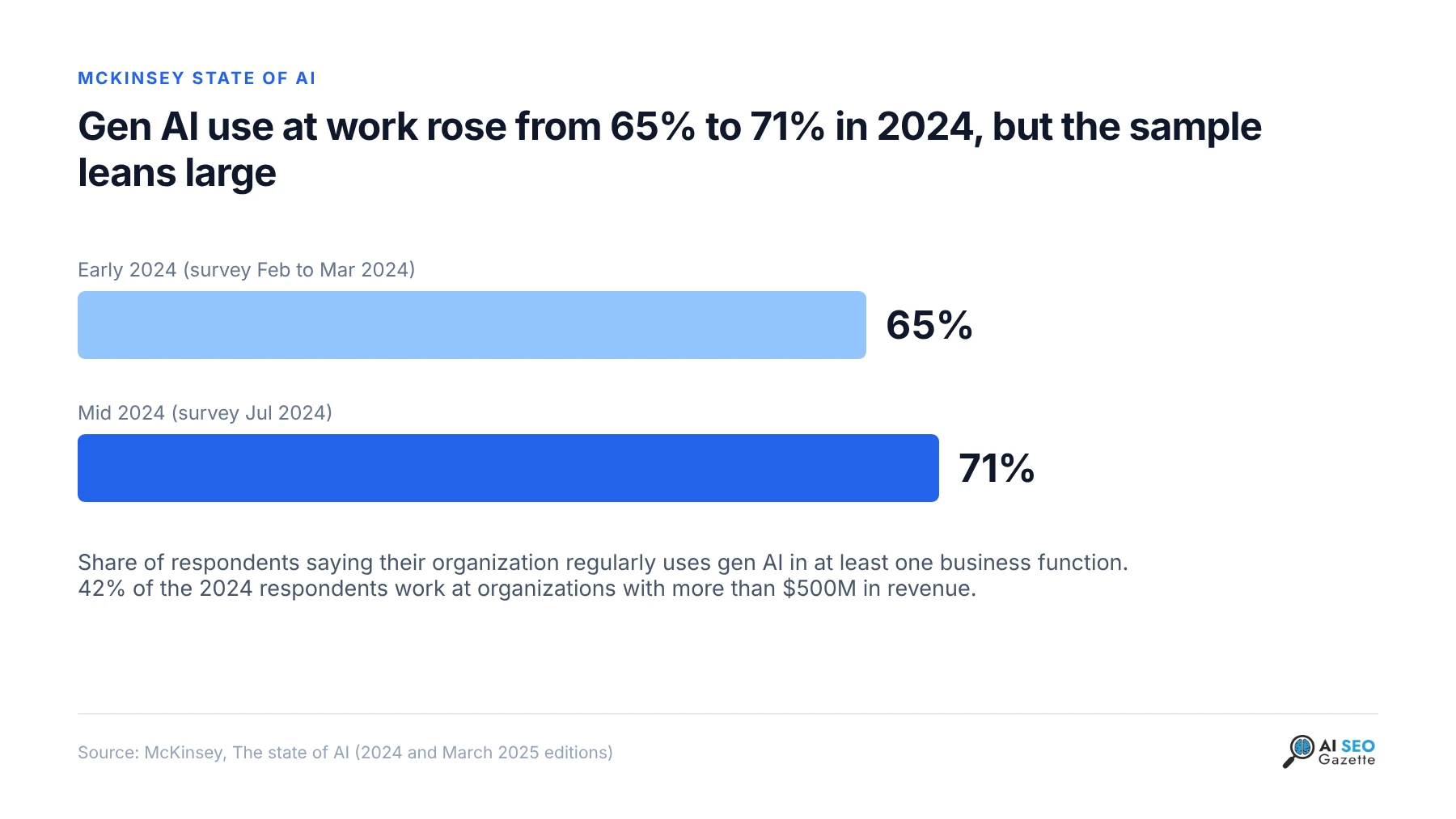
Generative AI is now routine at work. In McKinsey’s State of AI report published in March 2025, 71% of respondents said their organizations regularly use gen AI in at least one business function, up from 65% in early 2024. The survey ran in July 2024 with 1,491 participants in 101 countries, and the report names marketing and sales as the function where gen AI is used most often.
One caveat before you quote that number to a client: 42% of those respondents work for organizations with more than $500 million in annual revenue. This is a big-company sample. McKinsey’s newer State of AI in 2026 (survey fielded May to June 2026, published August 2026) found that nearly nine in ten respondents report regular use of AI in at least one function. It also found a size gap: 54% of respondents at companies with at least $1 billion in revenue report scaling AI across the enterprise, compared with one third at smaller organizations.
So adoption is close to universal, but scaling is not. Small teams rarely lack tools. More often they have a pile of overlapping subscriptions and no clear owner for each step.
How do you build an AI stack by job?
Start from the work, then fill each slot with one tool. A blog post moves through six jobs, and each one has a part AI does well and a part you keep.
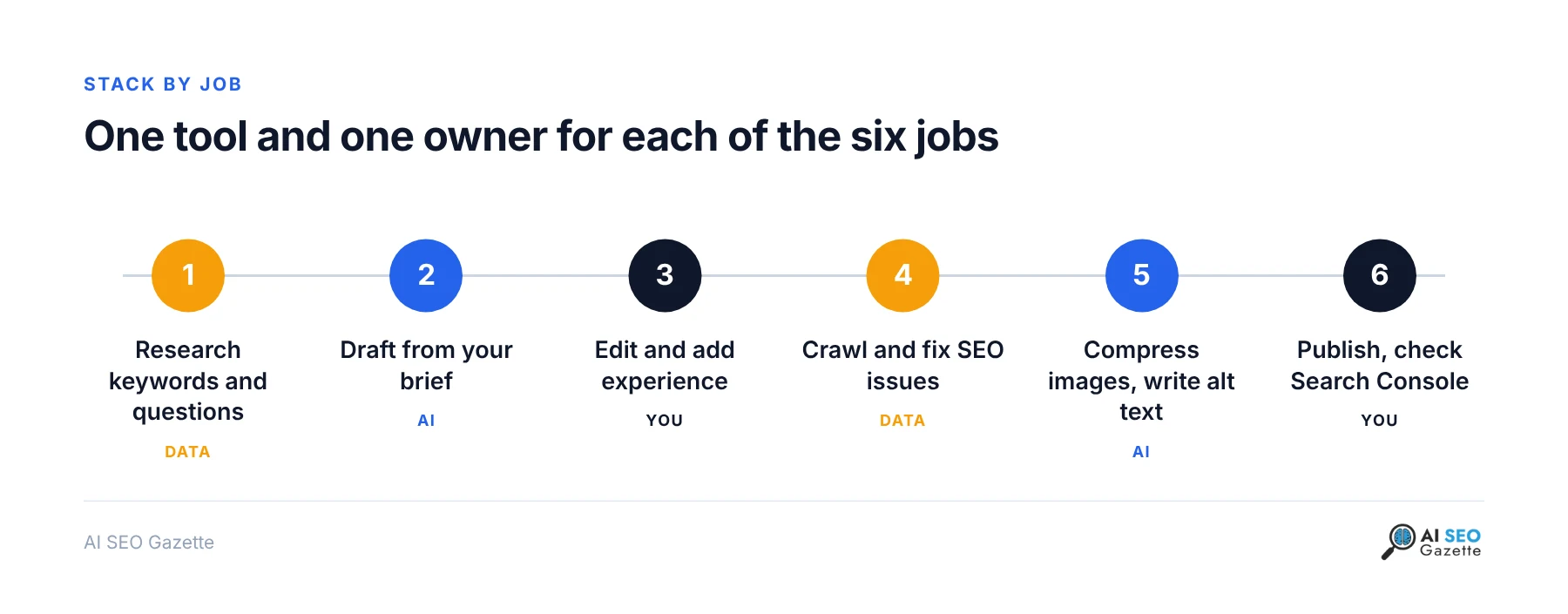
- Research. Keyword ideas, People Also Ask questions, competitor outlines. AI speeds up discovery. You decide which topics fit your site and which ones you can actually answer with experience.
- Drafting. An assistant turns your brief, notes and sources into a first draft. Good briefs matter more than the model; our guide to prompt engineering for SEO covers how to write them.
- Editing. AI can tighten copy and flag gaps. You add the examples, opinions and first-hand detail that make the post worth reading. See our five-step framework for editing AI content.
- SEO. Crawlers find broken links, missing titles and canonical problems. You decide what to fix first.
- Images. Generate, resize and compress. You check that every image is accurate and has useful alt text.
- Publishing. Sitemaps, indexing requests, internal links. Tools prompt the steps. You confirm the page is live and indexable.
If you already have a process, map your current tools onto these six slots. Two tools in one slot means you are paying twice. An empty slot means that job happens by hand or not at all. For the full process view, read our AI content workflow guide; this article sticks to choosing and costing the tools.
Which AI tools for bloggers cover each job?
The table below uses tools listed in the AI SEO Gazette directory where one fits, plus one general assistant. Every price comes from the vendor’s official pricing page, checked November 25, 2026.
| Job | Example tool | What it does | Cost (Nov 2026) | What you still check |
|---|---|---|---|---|
| Research | kwrds.ai | Keyword ideas with volume, CPC and intent, plus live People Also Ask questions | Free tier; Full Access $39 a month billed annually | Whether the intent matches your post and your expertise |
| Drafting and editing | A general assistant such as Claude Pro | Briefs to drafts, rewrites, outline gaps | $20 a month, or $17 a month billed annually ($200 up front) | Every fact, number, quote and source |
| SEO | DIY SEO Hub | Free crawl of up to 5,000 pages with title, meta, redirect and canonical checks; SQLite export | Free, no account needed | Which issues affect pages that earn traffic |
| Images | NeatCompress | Compresses images, video and PDFs in the browser without uploading files | Free, no sign-up | Visual quality after compression, alt text, file names |
| Publishing | IndexMe | Finds your sitemap, notifies Bing and IndexNow partners, walks you through Search Console | Starter free; Pro $19.99 one-time | URL Inspection in Google Search Console |
One honest limit on the publishing row: IndexMe’s own site points out that Google is not on the IndexNow endpoint list. For Google you still submit a sitemap and use URL Inspection in Search Console. Browse more options by job in the directory’s SEO tools category.
A 10-point rubric for the best AI tools for blogging
Before a tool joins your stack, score it 0, 1 or 2 on each line. Do this after a one-week trial on real posts, not after reading the landing page.
| Criterion | 0 points | 1 point | 2 points |
|---|---|---|---|
| Fills an empty slot | Duplicates a tool you pay for | Partly overlaps | Covers a job nobody covers today |
| Output you can verify | Black box numbers or text | Shows some sources or data | Shows data, sources or exports you can check |
| Price predictability | Credits that run out mid-month | Monthly seat with usage limits | Free or one-time fee |
| Data handling | Unclear what happens to uploads | Stated policy, cloud processing | Local processing or a clear no-training default |
| Exit cost | Your data stays locked in | Partial export | Full export in a standard format |
Keep tools that score 7 or more. Trial tools that score 4 to 6 for one more month with a specific job in mind. Drop anything under 4. A free tool that scores 3 still costs you time.
Worked example: what three real stacks cost in year one
Here are three stacks built from the table above. Prices are USD, before tax, checked on official pricing pages on November 25, 2026. Check them again before you buy; vendors change plans often.
Solo blogger, lean: $240 a year
- Claude Pro billed monthly: $20 x 12 = $240
- kwrds.ai free tier, DIY SEO Hub, NeatCompress and IndexMe Starter: $0
This covers all six jobs. The trade-off is keyword data: the free kwrds.ai tier gives keyword ideas, but deeper metrics need a paid plan.
Solo blogger, serious: $687.99 in year one
- Claude Pro billed annually: $200
- kwrds.ai Full Access at $39 a month billed annually: $468
- IndexMe Pro, one-time: $19.99
- DIY SEO Hub and NeatCompress: $0
Year two drops to $668 because the IndexMe fee does not repeat. That is about $56 a month for a full stack.
Small team of three: $1,207.99 in year one
- Claude Team, three standard seats at $20 per seat a month billed annually: $720 ($25 per seat if billed monthly)
- kwrds.ai Full Access, one account: $468
- IndexMe Pro: $19.99
- DIY SEO Hub and NeatCompress: $0
The team plan matters less for the extra usage and more for shared projects, so everyone drafts from the same brand voice notes and briefs. Check each vendor’s terms before you share a single login across people.
What changes when you pick AI tools for small business blogs?
A team stack fails in different ways than a solo stack. The common problem is drift. Three writers use three assistants with three sets of prompts, and the blog starts to read like three blogs.
- Give each job one owner. One person runs the crawler and owns the fix list. One person signs off on facts.
- Store briefs and voice rules where the assistant can read them. A shared project or a pinned doc beats pasting the style guide into every chat.
- Budget seats, not tools. The assistant is priced per seat. Keyword tools often are not. Price the stack for your headcount before you commit.
- Write down who approves AI output. Our AI SEO for beginners guide is a good onboarding read for anyone new to the process.
Where AI gets it wrong, and the manual checks that catch it
Fabricated sources are the biggest risk for a blog that wants to be cited. In a 2023 study in Scientific Reports, Walters and Wilder checked 636 citations in 84 short literature reviews written by ChatGPT. 55% of the GPT-3.5 citations and 18% of the GPT-4 citations were fabricated. Models have improved since then, but the lesson holds: a citation from an assistant is a lead, not a source. We saw the same pattern in our own AI misinformation experiment.
Google says the same thing in plain terms. Its guidance on using generative AI content says generative AI is useful for research and adding structure, and that it is critical to manually fact-check and review all AI-generated content. That review covers title elements, meta descriptions, structured data and image alt text, because those can appear in search results.
Volume is the other trap. Google’s spam policies list “using generative AI tools or other similar tools to generate many pages without adding value for users” as an example of scaled content abuse. A cheap stack makes it easy to publish 50 thin posts a month. Don’t.
Disclosure is the last check. Google’s helpful content guidance asks whether the use of automation, including AI generation, is self-evident to visitors, and suggests disclosures when readers would reasonably expect them. If your edits still leave the copy sounding machine-made, our guide to humanizing AI content covers the rewrite.
Copy-paste pre-publish checklist
- [ ] Every statistic links to the original study, with the study year in the text
- [ ] Every citation the assistant suggested has been opened and read
- [ ] Keyword volumes come from a keyword tool, not from the chat assistant
- [ ] Title, meta description and alt text reviewed by a person
- [ ] At least one example, screenshot or opinion that only you could add
- [ ] Images compressed, named and described
- [ ] Page crawled for broken links and canonical errors
- [ ] Sitemap updated and URL checked in Google Search Console
- [ ] AI use disclosed where readers would expect it
- [ ] Tool prices or plan details in the post rechecked and dated
Frequently asked questions
What are the best AI tools for bloggers on a budget?
Start with one paid AI assistant for drafting and editing, then use free tools for the rest: a free keyword tier for research, a free crawler for technical SEO, a browser-based image compressor and a free indexing helper. At November 2026 prices that stack costs about $20 a month.
How many AI tools does a solo blogger need?
Usually four to six, one per job: research, drafting, editing, SEO, images and publishing. Drafting and editing can share one assistant. If two tools do the same job, cancel the one that scores lower on the rubric above.
Can a chat assistant replace a keyword research tool?
No. A chat assistant can suggest topics and angles, but its search volume numbers are guesses unless it is connected to a real data source. Use a keyword tool for volumes and intent, then use the assistant to turn that data into a brief.
Does Google penalize blogs that use AI tools?
Google’s guidance focuses on value, not on the tool. Its spam policies target generating many pages without adding value for users, and its guidance on generative AI asks site owners to fact-check and review AI output, including titles, meta descriptions and alt text, before publishing.
How often should I review my AI tool stack?
Every quarter is a sensible rhythm for a small team. Recheck prices on official pricing pages, rescore each tool, and cut anything that nobody used in the last month.
Sources
- McKinsey & Company, “The state of AI: How organizations are rewiring to capture value” (March 2025; survey July 2024): mckinsey.com
- McKinsey & Company, “The state of AI in 2026: On the road to ROI” (August 2026; survey May to June 2026): mckinsey.com
- Walters, W. H. and Wilder, E. I., “Fabrication and errors in the bibliographic citations generated by ChatGPT,” Scientific Reports 13, 14045 (2023): nature.com
- Google Search Central, “Google Search’s guidance on using generative AI content on your website”: developers.google.com
- Google Search Central, “Spam policies for Google web search”: developers.google.com
- Google Search Central, “Creating helpful, reliable, people-first content”: developers.google.com